
One platform for the entire campus.
Everyone sees what they need – NDPro connects people, rooms and technology.

Users
One tap – the room is ready.
Administrators
Rights, network, devices in hand.
Facility management
Every room at a glance.
Service partners
Fault detected, quickly fixed.
One data basis, four perspectives – everyone works with the same, current information.
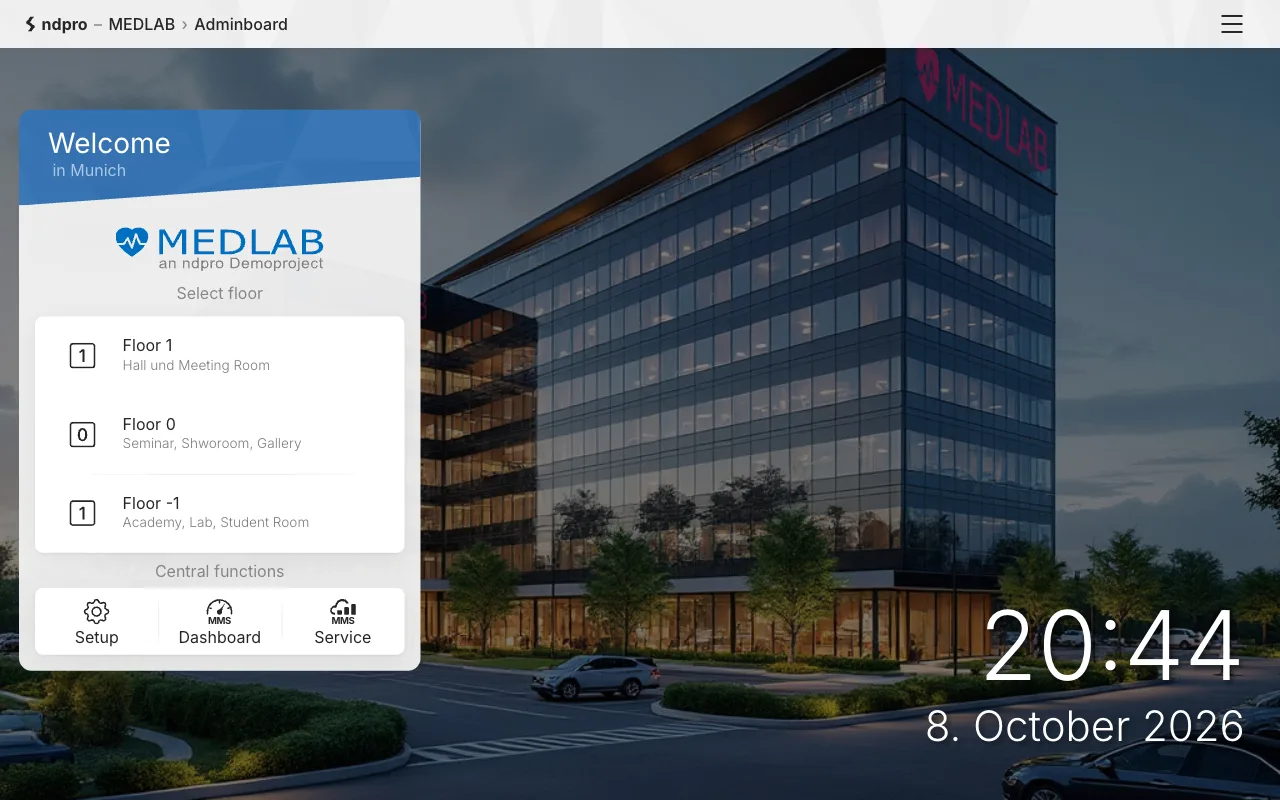
One central entry point.
All NDPro functions in the browser – on PC, tablet and smartphone, without additional software.
- Browser-based, no installation
- PC, tablet and smartphone
- One consistent interface
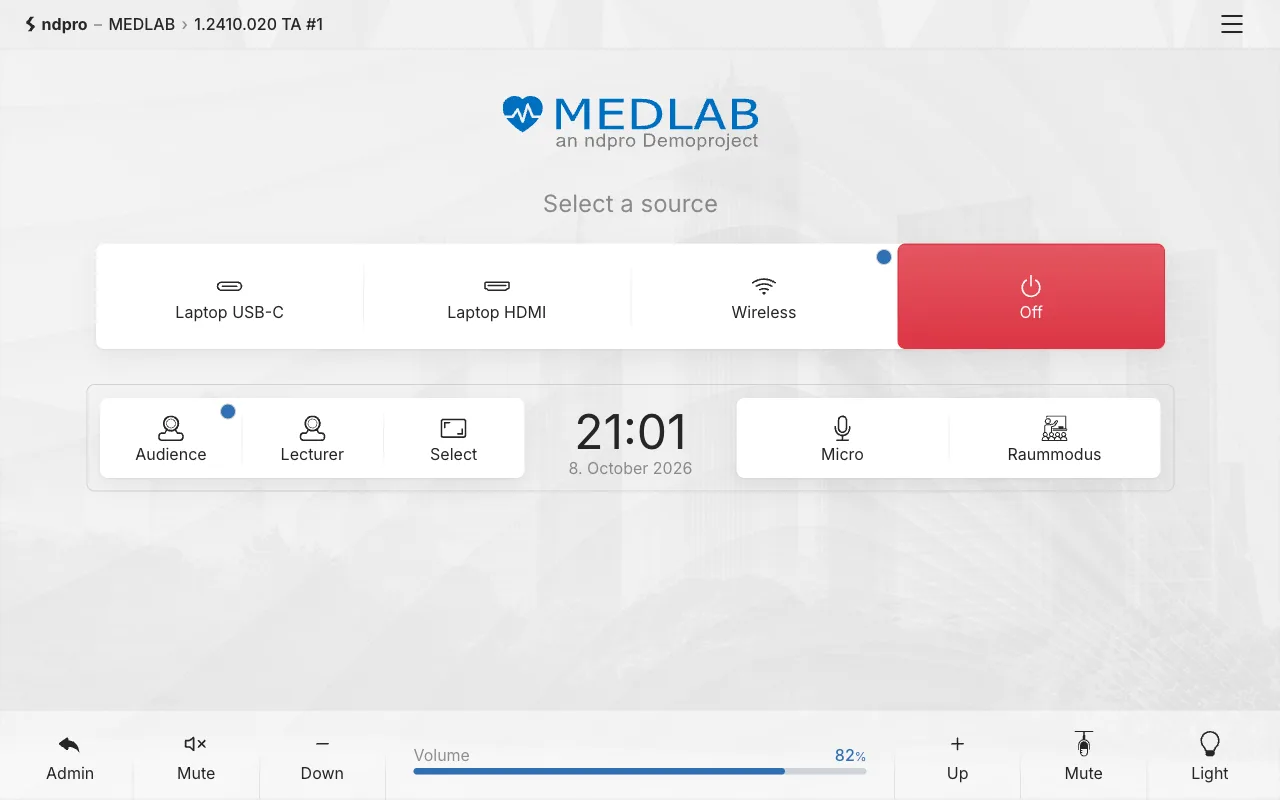
Controls made to measure.
HTML5 interfaces for rooms, workplaces and mobile devices – tailored to processes, devices and users.
- Freely configurable interfaces
- Optimised for touch
- Individual workflows
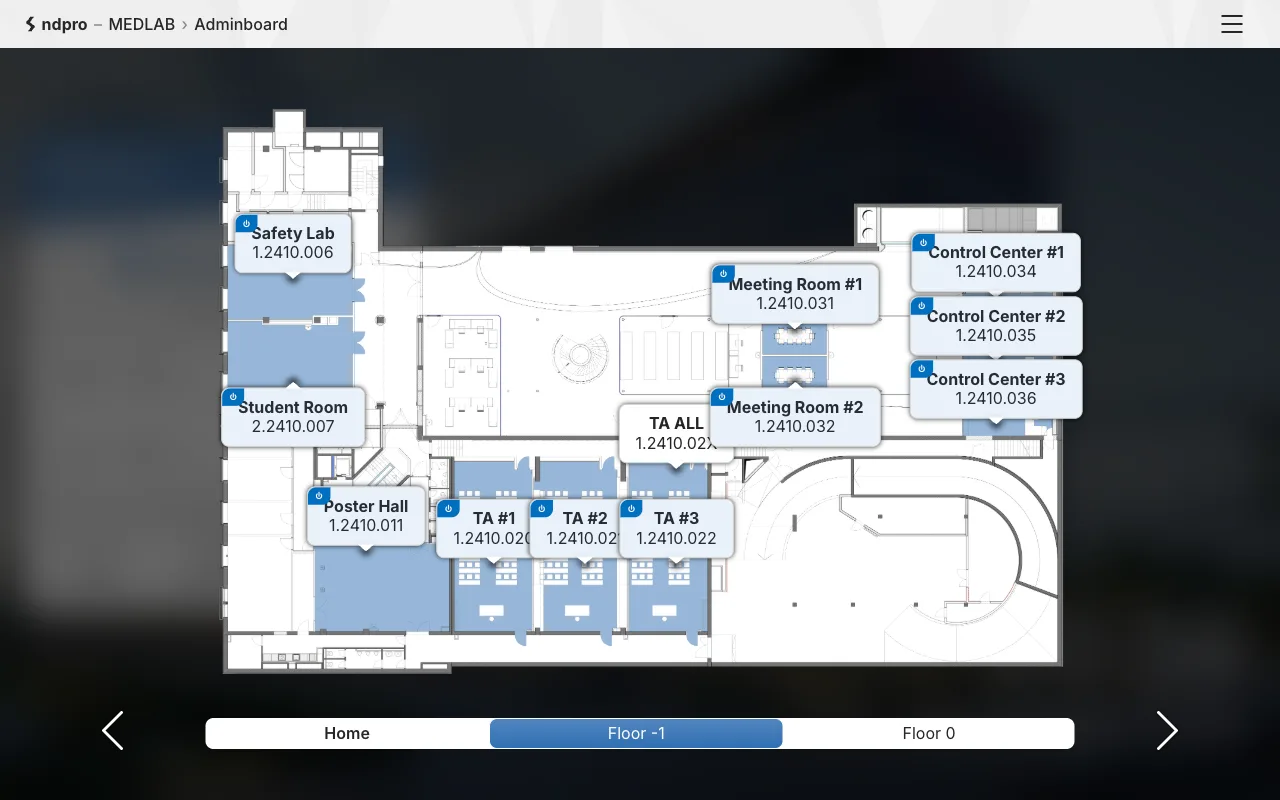
Rooms on the plan.
Every floor as a plan – find rooms right on the map and see their state at a glance.
- Switch floors with one click
- Room status right on the plan
- One click into the room
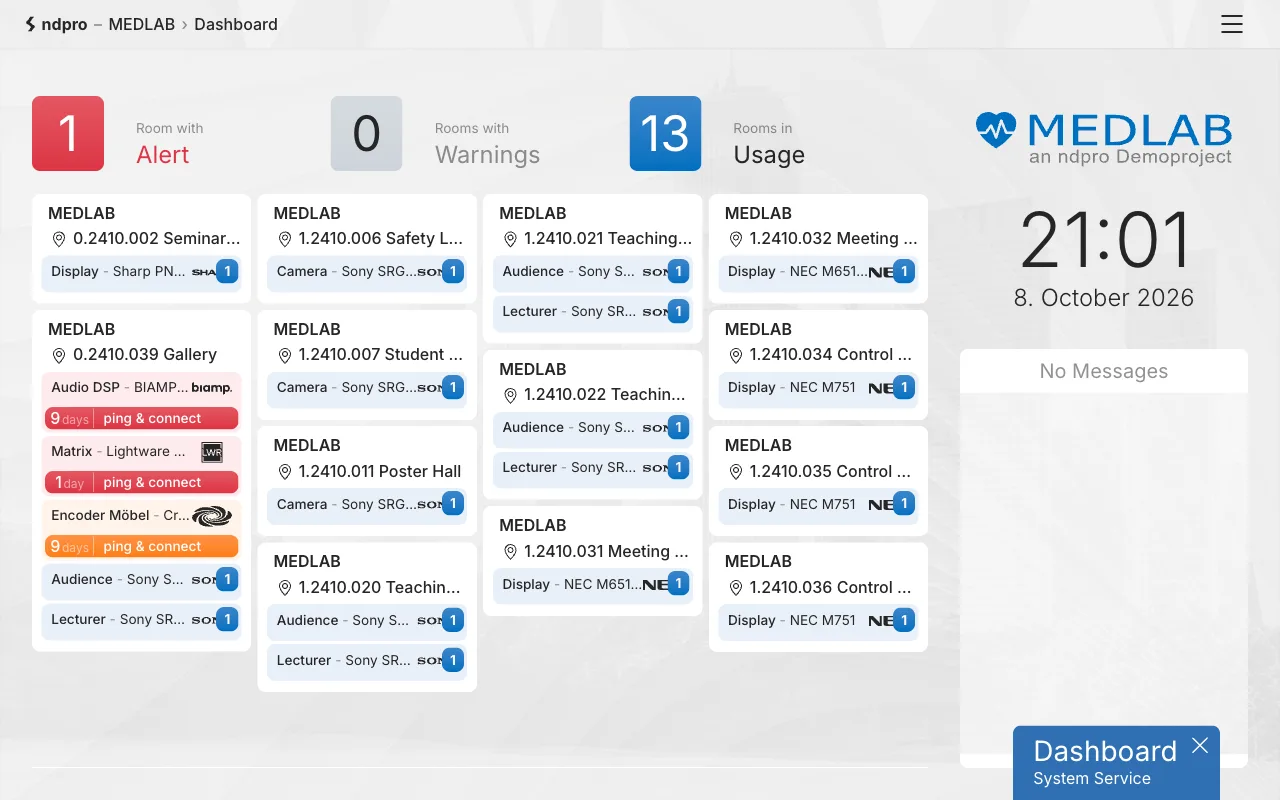
All systems in view.
The state of all AV and building technology in real time – faults and warnings centrally at a glance.
- Live status of all devices
- Warnings and events
- Central dashboards
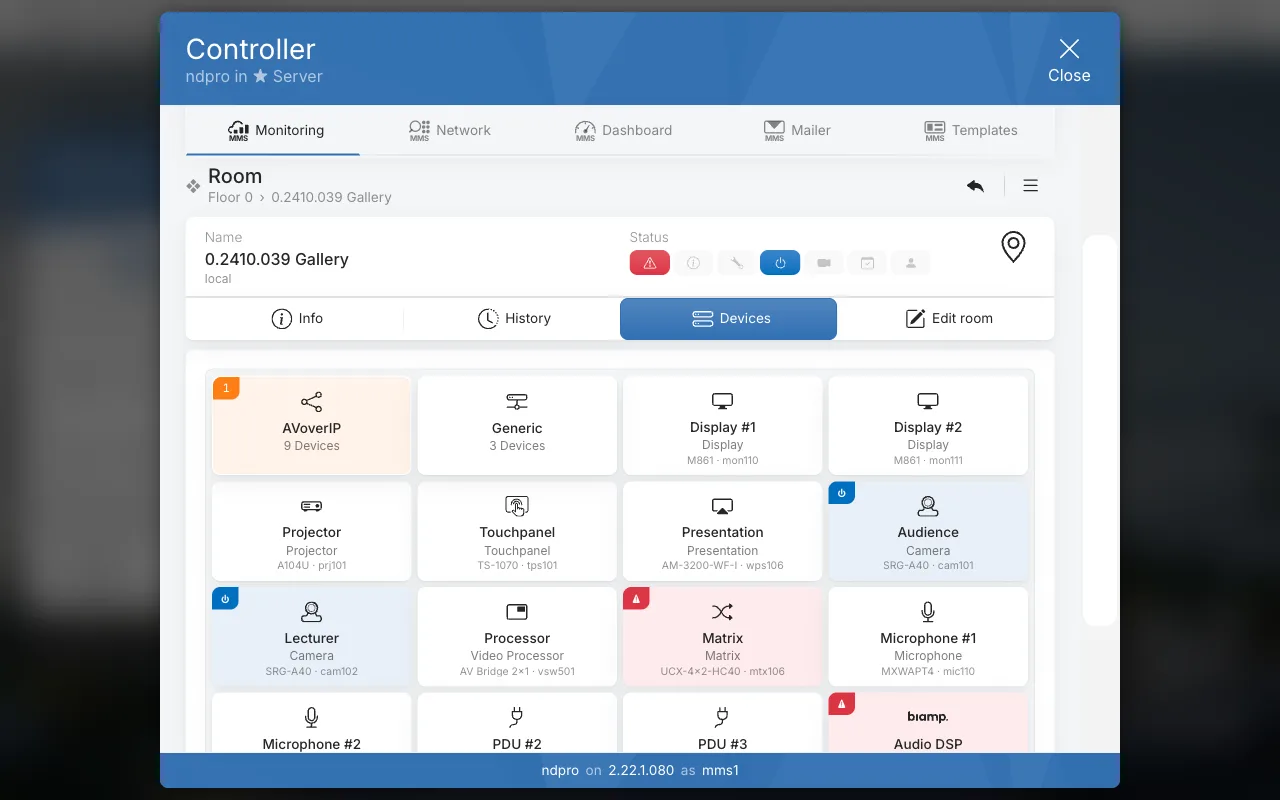
Everything documented.
Devices, rooms and their technical data in one place – always at hand for service.
- Devices, rooms and sites
- Serial number and firmware
- IP and MAC address
- History and comments
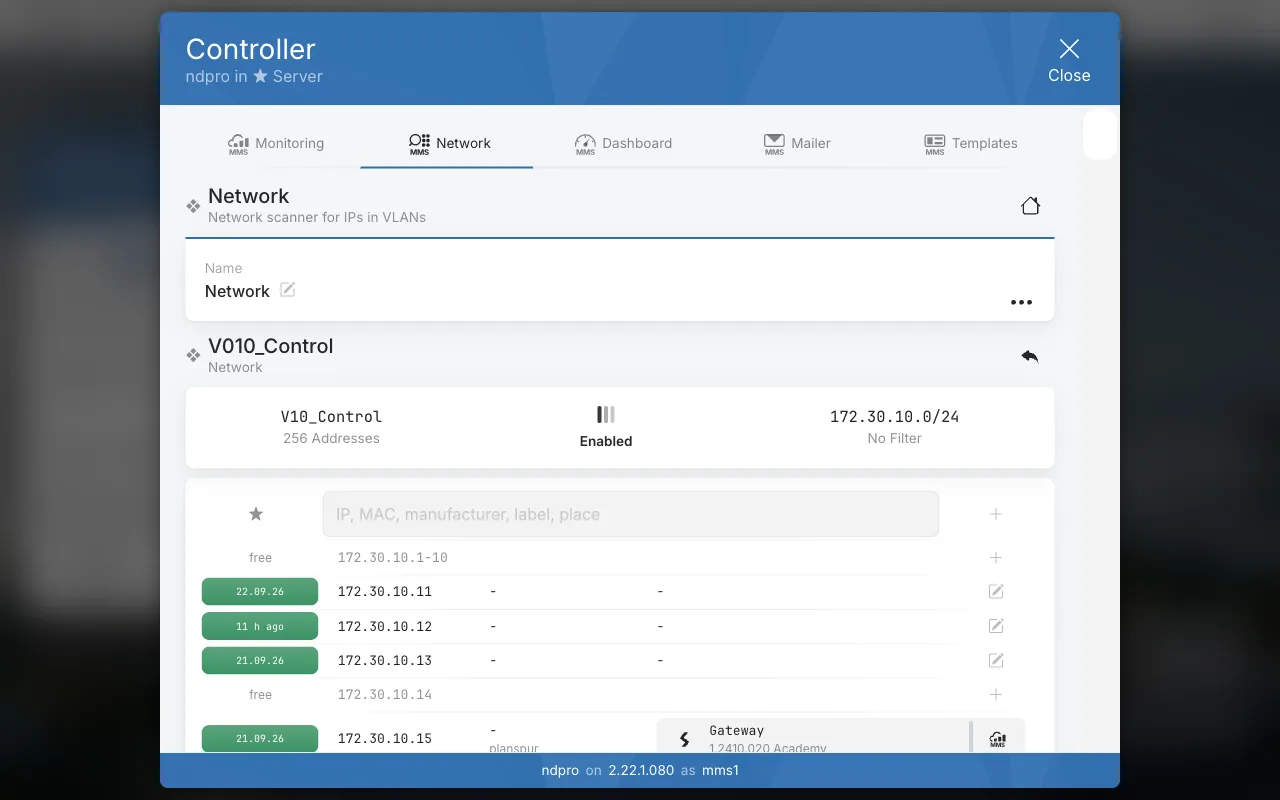
Every IP in view.
NDPro scans the networks and shows which addresses are in use, free or assigned to a device.
- Subnets and VLANs
- Used and free addresses
- MAC, vendor and device
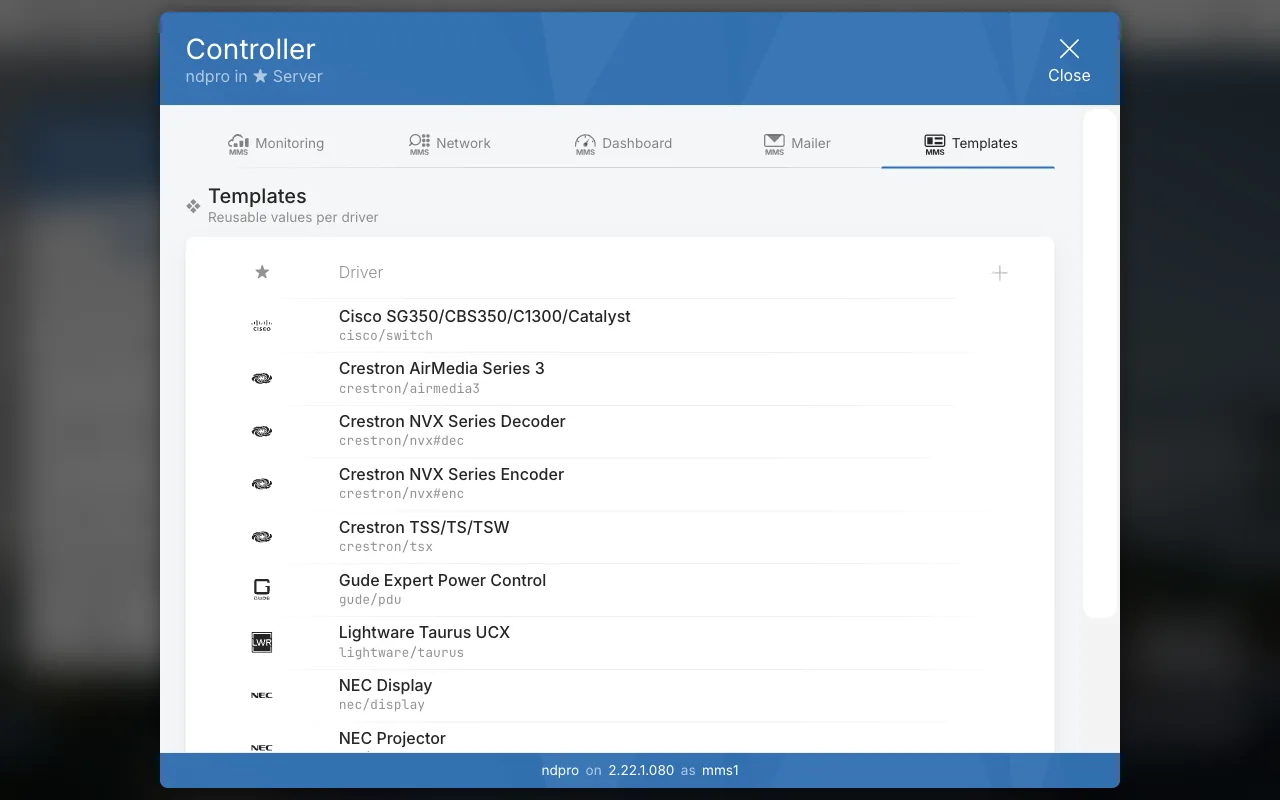
Define once.
Reusable values per driver – one change to the template applies to every device that uses it.
- Values per driver
- One change, all devices
- Fast rollout of new rooms
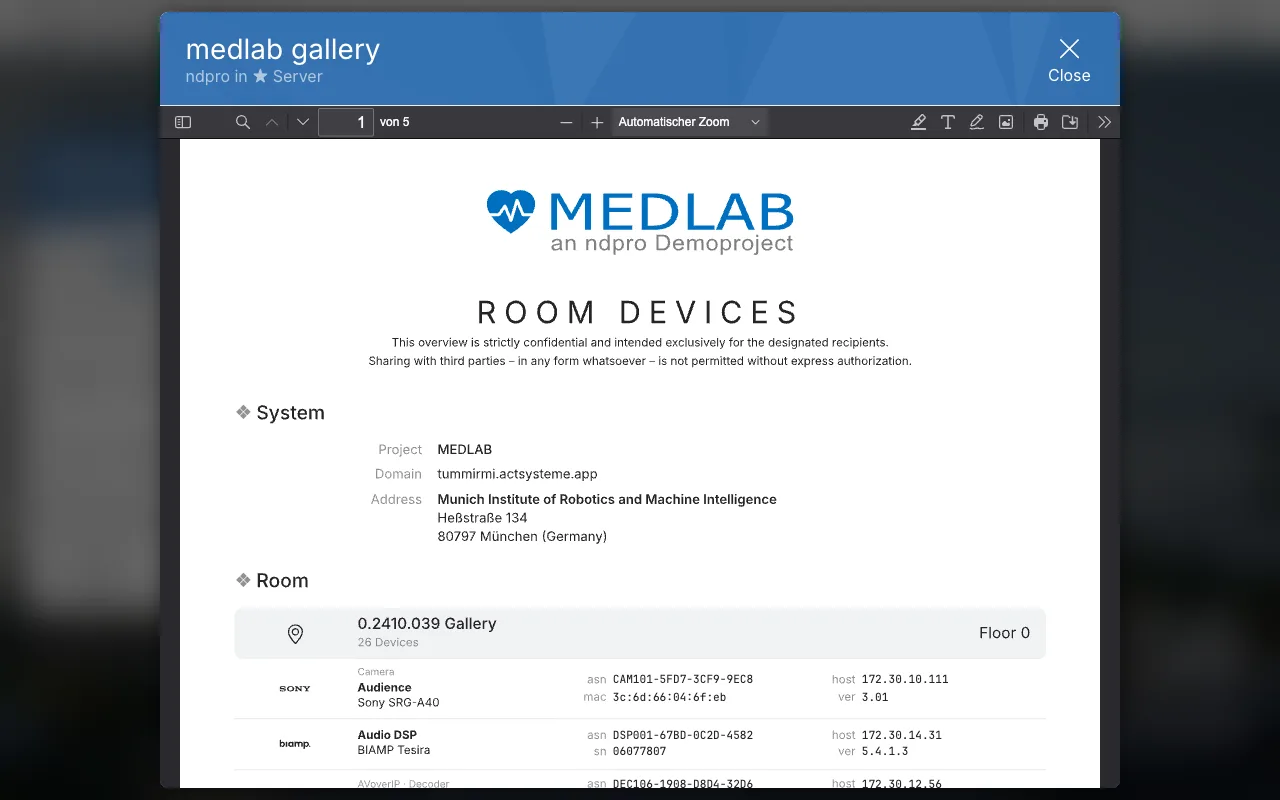
Docs in one click.
Devices, rooms and technical data as PDF – with the customer’s logo and project details.
- Device list per room
- Statistics and labels
- Serial number, MAC, IP and firmware
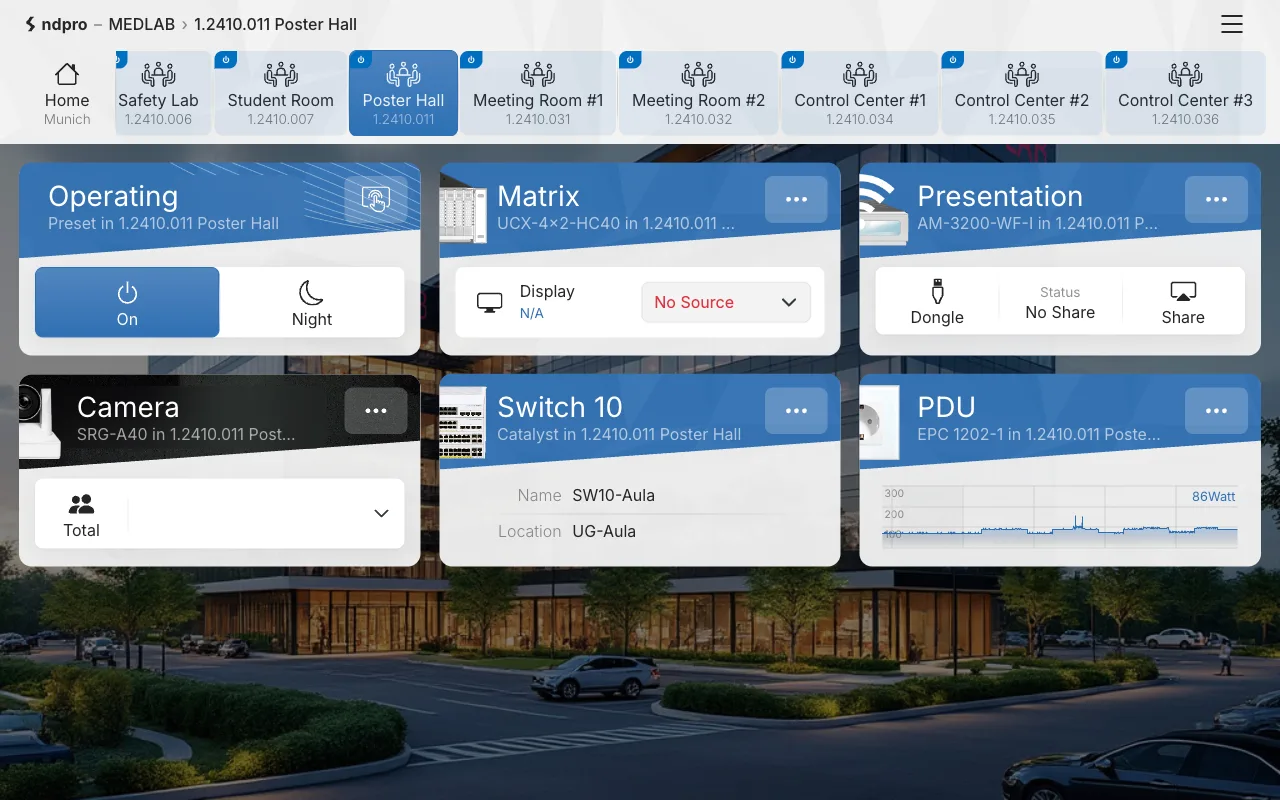
Central system control.
Operate devices, rooms and systems from one interface – even in large installations.
- Operate devices centrally
- All rooms in one interface
- Presets such as standby or night