
How it works
From the calendar straight into the room
NDPro connects Microsoft 365 with visualisation, room status and media technology.
01
MICROSOFT 365
Room & calendar
Meetings, times and room occupancy
02
NDPRO
Process & distribute
Room status, calendar data and automation
03
ROOM
Display & control
Doorsign, touch panel and room technology
A booking in Microsoft 365 automatically becomes part of the NDPro room state.
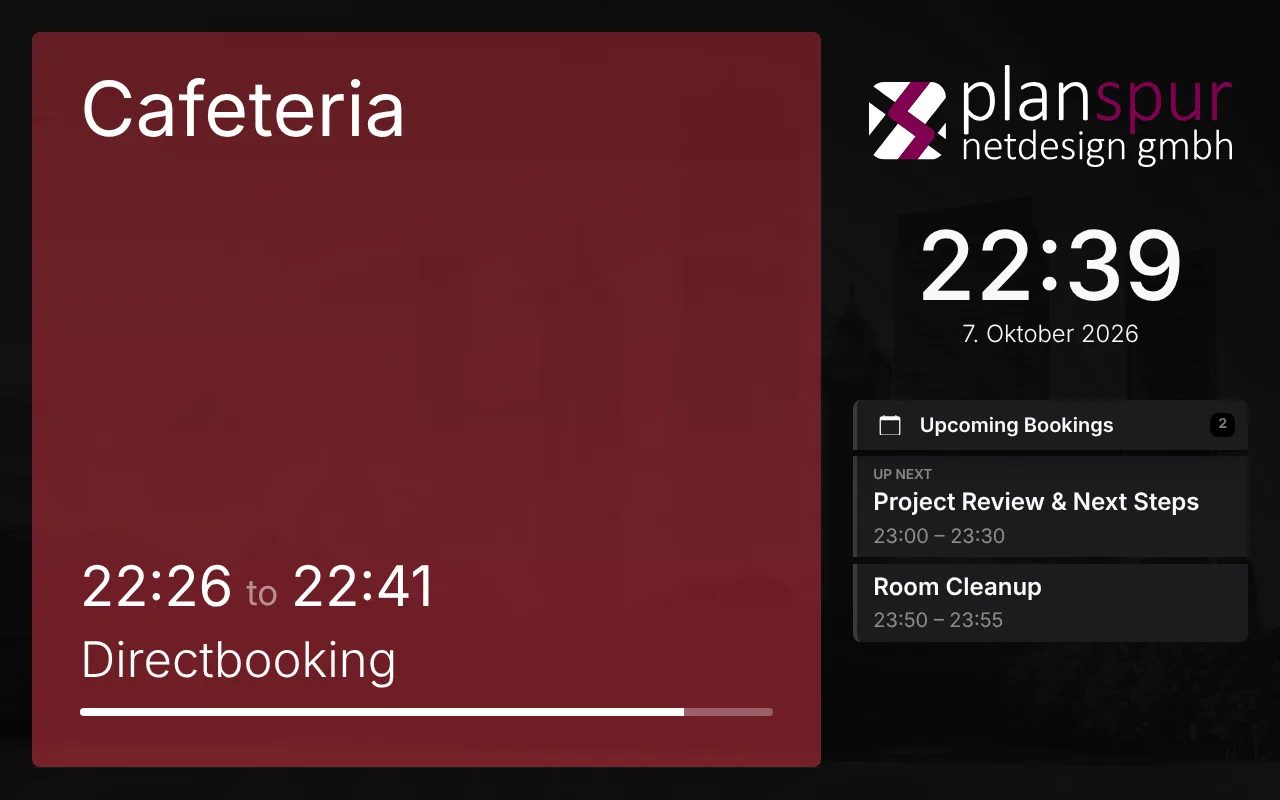
Doorsign
Everything that matters, right at the room.
The doorsign shows the current room status and the relevant meetings straight from Microsoft 365 – in the project’s own design.
- Free / busy
- Current & next meeting
- Book right at the display
- Custom HTML5 design
Integration
The calendar knows the meeting. NDPro knows the room.
DATA SOURCE
Microsoft 365
NDPRO
NDPro Room
Doorsign
Room status & meetings
Touch panel
Room overview & operation
AV technology
Media start with lead time
Monitoring
Occupancy & usage
Calendar data is not just displayed – it can be used throughout the entire room.
Hardware
No special hardware – one link is enough.
NDPro brings the doorsign to well-known panels and keeps an eye on them.
01
LINK
One link per room
…/auth/user?token=…
Chrome
Edge
Safari
WebView
- No app, no plugin
- Sign-in via token link
- Support for Crestron CH5
Room Rhine
Free
until 12:00
Room Rhine
Occupied
until 11:30
Light frame in status colour
Crestron TSS & ProDVX
02
MONITORING
Reports to monitoring
- Online status & outage alerts
- Firmware version & updates
- Brightness & screensaver
- Central device settings
- Screenshot & logs (ProDVX)
- Remote reboot
Supported, among others
Crestron TSS / TSW
ProDVX
Any panel with a browser
Details
What you need – what NDPro brings
The key points for planning and operation at a glance.
01
YOU
What we need
- Microsoft 365 with room mailboxes
- An Entra ID app registration and a service account for the room calendars
- One panel with a browser per room, e.g. Crestron or ProDVX
02
NDPRO
What NDPro does
- Doorsign and room overview in your own design
- Booking right at the display, written back to Microsoft 365
- Room signals for media technology and monitoring
03
OPERATION
On-prem or cloud
- On your own Debian server or in the cloud
- Displays only talk to the NDPro server
- Known meetings stay visible if the internet drops